Epic FORscan repair - in practice
- SC
- Mar 1
- 6 min read

Updated: Mar 21

This is really part 2 that a customer taught me. This is much later on with him actually walking me through, coming to my aid and ultimately answering all my questions for me. It is not a very dramatic story so you will have to live without the movie but still, to me, something worth sharing. This is a story about eliminating plastic, damage prone CAN network "controlled" no cost justifiable parts ford chooses to put on lower end models? I hope that makes sense lol. Time for the story.
Another ford truck comes in with a customer supplied front valence he wants installed. The one that is on the truck is pretty mangled and he wants his truck to look nice again. The Plastic computer controlled air damn behind it was smashed too. We removed all the damaged pieces, left the motors plugged in as they are part of the CAN network on the vehicle and installed the new fixed valence.
A week later the charging system light comes on and the vehicle is towed in for fear of being stuck on the side of the road somewhere. Turns out a U012D code "loss of communication with alternator control module" and some active radiator shudder communication codes are stored in the computer. Immediately my mind went back when we last had this problem on the same year truck just a month or two ago. I had my laptop handy, a cheap ICAN usb2-2-usb cable and FORscan is supposedly free for download on PC. There is a fee for the app for the lite version designed for phones (iOS) but that program can't do the same things the PC version can. Fast forward a couple minutes later and I am marching out to the truck laptop in hand.
I start the software up for the first time and start clicking through the tabs familiarizing myself with it so I knew what I was doing (it is important to note I had downloaded the software a month earlier but never even tried to open it). Maybe a little too fast without reading any supporting documentation, of course. All I wanted to do was make sure the adapter I had was going to work: that I was going to be able to communicate with the vehicle. Finally! I found the connect button. MY2000, MY2001, log file starts scrolling, and.... the adapter light goes green and the communication light goes green. Success! I call my customer who told me he deleted the Active air dam and left him a message asking if he wouldn't mind sending me over the files that provided instructions on how to actually change configurations.
Not even a half hour later I had a photo of specific instructions on how to do exactly what he did, the excel file that contains all the collected f-150 configuration data, and how easy it was to do it. It was the end of the day and I got busy so it was a project for the next day.
Best to rip the band aid off fast...
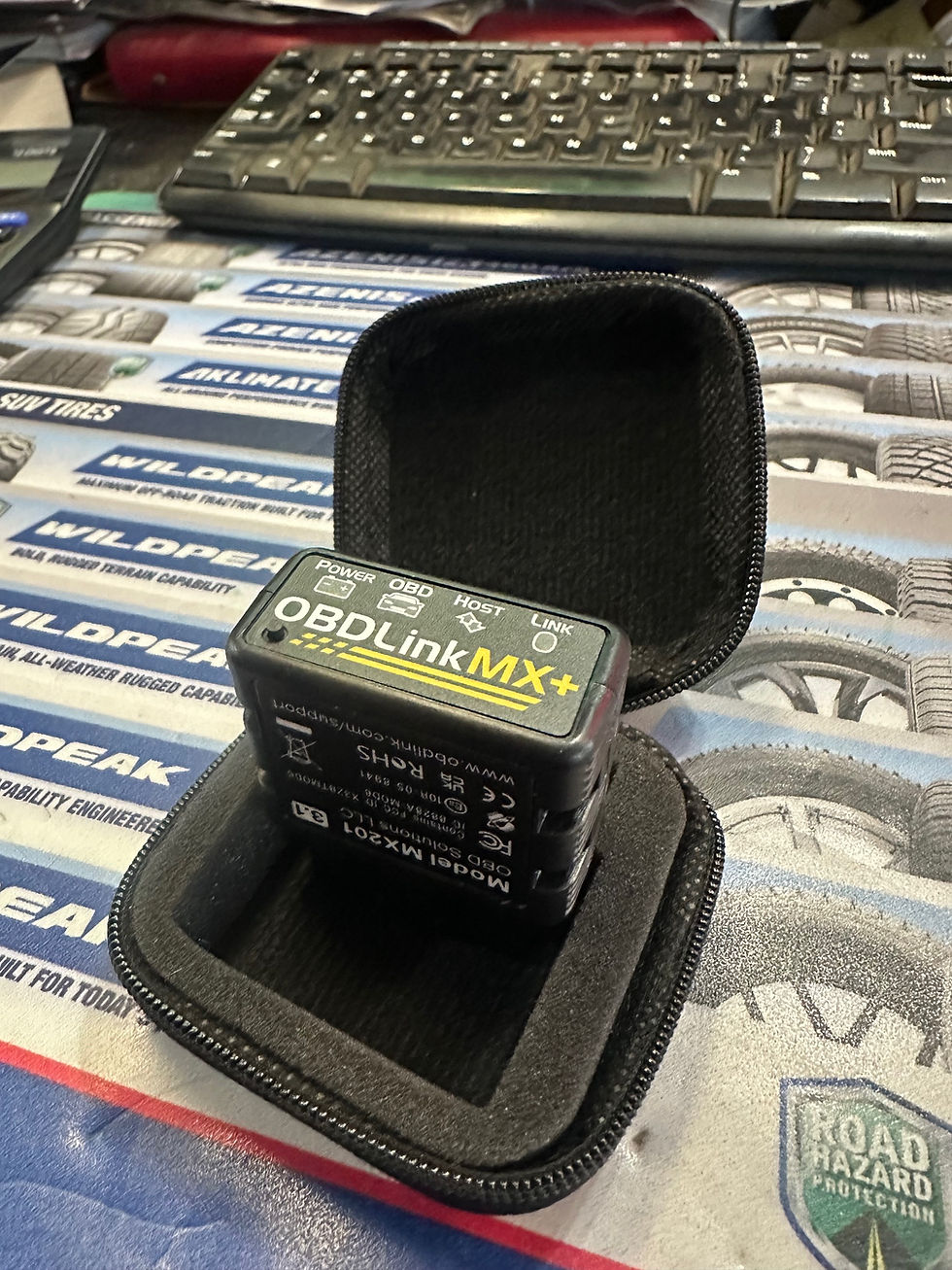
Software comes in demo mode that provides an example of what you will find so you can learn to navigate the software before you ever try to configure anything (MY2000 should have made me realize something was up the day before but we all have an off day). The only notice is a very small message in the bottom corner of the screen. I was not communicating with the vehicle. My adapter would not work. I don't have time to buy one so I message my customer, and he drops his off at the end of the day. He has the bluetooth adapter that is specifically mentioned as designed to work with the mobile apps. Did he do this with his phone or his computer? I can't remember. I decide I will buy the app if it wont work with my computer the next day.

Windows 7 64-bit machine was a little slow installing the drivers for the bluetooth adapter but successful in the end. I figured out how to get out of demo mode in the mean time and am now about to attempt to actually connect. What's this? Activation required? There is a free 2 month license you can APPLY for on the website. Luckily I did not have to wait long before I got the license but it felt like eternity when I wanted to see if this really was going to work as described to me. I have read post where people didn't have the configuration option available to them in software after having updates done at the dealer. How many band-aids am I going to have to rip off here?
Very straight forward process activating the license and restarting the software. OH yeah forgot to mention there's an update for the program. Now that I should be able to connect I realize it would be a good idea to update the software to the most recent version incase they fixed any bugs. This is free software so if there is an update I bet it is important and a lot of hard work went into it just to give it away. Update DONE. Load up the software and... another activation message. When you update the software it changes the "machine identification" that you submit when you APPLY for your free license. Time to repeat the activation process only I just did it: would they flag some sort of issue and say no?
Finally some luck. new activation file and now I am in business. Time to hit connect see if this is all been worth the time. SUCCESS. Now the easy part right? Follow the instructions verbatim. I suppose something should be said about figurative versus literal translations of instructions received lol.
I navigate to the correct PCM (as built) category and there it is: the specific location and hex data the instructions led me to. It says to change the third value from the right to 01. Seems simple enough although when I try to save the new value "0001" to the PCM I get a "checksum" message and ultimate error when trying to write it in. Great... another complication - the instructions I was given by someone who already did this before me do not work? Several minutes of targetted googling for this problem gives a "01--" clarification even if it is still not all that clear (you cannot but xx in where it expects numbers). I put in "0100" in the third box and get another checksum message. Maybe the 3rd times the charm?
More research and More text messages with my customer and I realize that the checksum message actually has a purpose. That and once this is done you should unplug the system - which I passed off to one of the guys in the shop while he was between jobs. If you click through the checksum message as directed it changed the last two digits to something like "0118" which is completing the value to something the computer will understand because the last 2 digits are a checksum calculated off of what the first two digits are. I now have success writing the changes into the PCM and I am pretty happy to have now corrected the problem for my customer... or did I?
I was poking around in another configuration and turned on snow plow mode (as recommended by the internet) because it also disables the active air dam since plows interfer with its operation. Now there is no charging system message on the dash and I am feeling pretty confident it can be delivered back to the customer. I of course decide to road test it several times before I deliver it just to be sure. Lucky I did that because the same problem came back after a couple of key cycles. What the heck is going on?
Turns out, when the CAN network codes were investigated, that the system had a corroded connector that grounded out the CAN network causing communication codes with the active shutter (which was already unplugged to disable weeks ago by the customer). Guess where this connector was? Still plugged into the passenger side actuator for the Active Air Dam.... my guy mistakenly unplugged the front camera instead of the active grill motor. A problem created by a persons carelessness.... After this issue was corrected the "check charging system" message was now gone permanently as well as the entire active air dam system.
This was certainly a learning lesson... in more ways then one...
Oh yeah this configuration can be reset anytime the vehicle's pcm (or other modules?) has a new software version loaded into it. Updates could even get rid of the ability to change the values in regards to this system. Lame.

Comments